The fuel dispensing problems transport businesses face
Transport businesses dispense fuel many times a day. Without a clear control system there can be problems such as not knowing who dispensed the fuel, at what time, or whether the amount exceeded the limit, as well as the risk of use outside working hours
Fuel management problems
Transport businesses dispense fuel many times a day. Without a control system it is hard to check who dispensed it, when and how much, and there is a risk of abnormal use
5–15 minutes
Verify identity before dispensing fuel
Set how long the dispenser runs after identity verification succeeds
500 names
Supports staff records
Store staff records for identity verification by face or fingerprint
Excel Report
An impressive page
Export dispensing data through a USB drive in Excel format
50,000 records
Records usage history
Store access records for later checking
Fuel dispensing control system
The fuel dispensing control cabinet is designed to help transport businesses control fuel dispensing more systematically. It is installed together with the existing dispenser, so the main equipment does not have to be replaced
5–15 minutes
Verify identity before dispensing fuel
Set how long the dispenser runs after identity verification succeeds
500 names
Supports staff records
Store staff records for identity verification by face or fingerprint
Excel Report
An impressive page
Export dispensing data through a USB drive in Excel format
50,000 records
Records usage history
Store access records for later checking
Fuel dispensing control system
The fuel dispensing control cabinet is designed to help transport businesses control fuel dispensing more systematically. It is installed together with the existing dispenser, so the main equipment does not have to be replaced
Fuel dispensing control system
The fuel dispensing control cabinet is designed to help transport businesses control fuel dispensing more systematically. It is installed together with the existing dispenser, so the main equipment does not have to be replaced
5–15 minutes
Verify identity before dispensing fuel
Set how long the dispenser runs after identity verification succeeds
500 names
Supports staff records
Store staff records for identity verification by face or fingerprint
Excel Report
An impressive page
Export dispensing data through a USB drive in Excel format
50,000 records
Records usage history
Store access records for later checking
Fuel dispensing control system
The fuel dispensing control cabinet is designed to help transport businesses control fuel dispensing more systematically. It is installed together with the existing dispenser, so the main equipment does not have to be replaced
Fuel dispensing control system
The fuel dispensing control cabinet is designed to help transport businesses control fuel dispensing more systematically. It is installed together with the existing dispenser, so the main equipment does not have to be replaced
How to use it
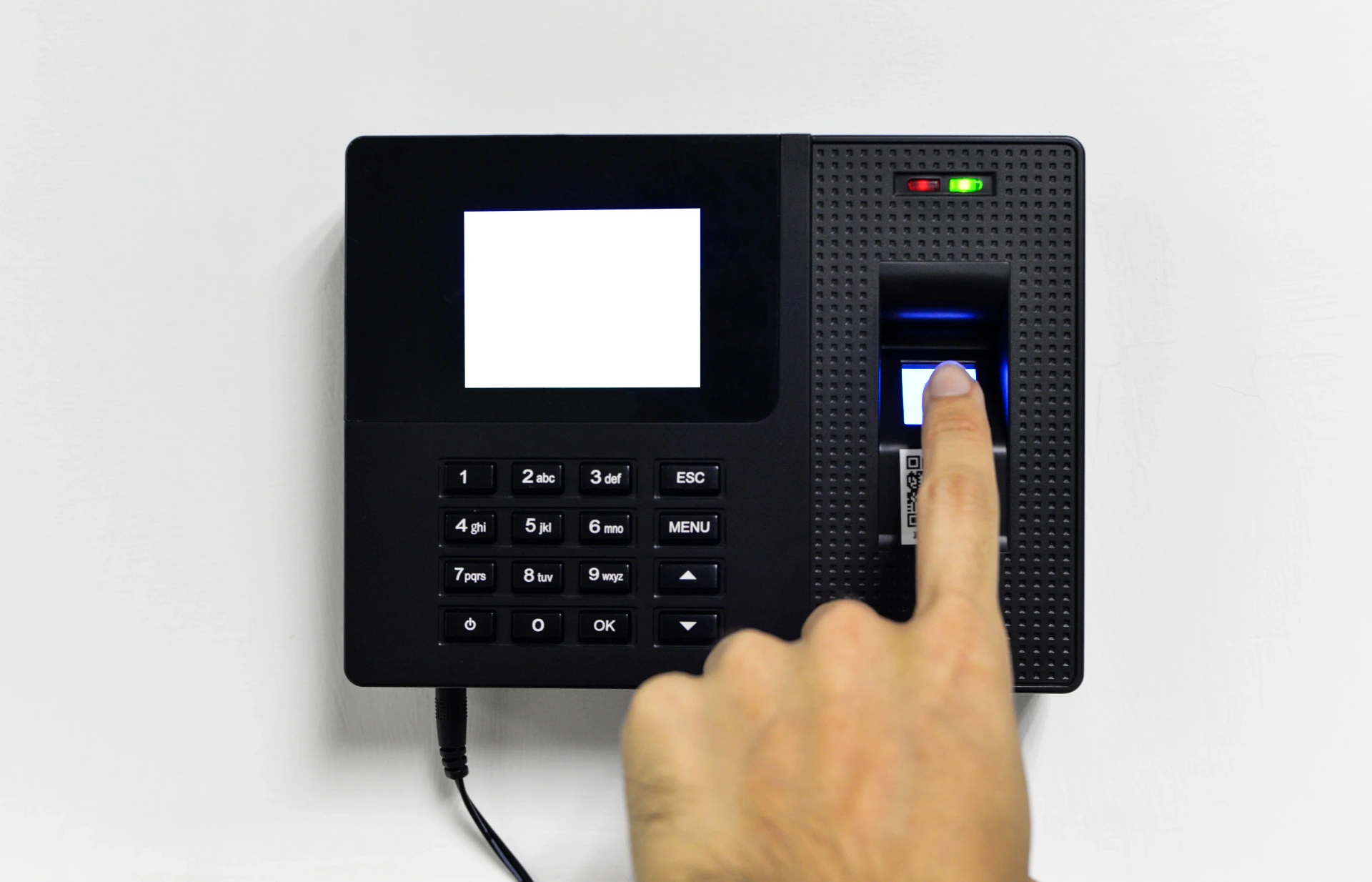
Verify identity at the time recorder
Verify identity at the time recorder
to identify the member of staff who wants to dispense fuel

Identity verified
Identity verified
the system then lets the dispenser run for the period that has been set
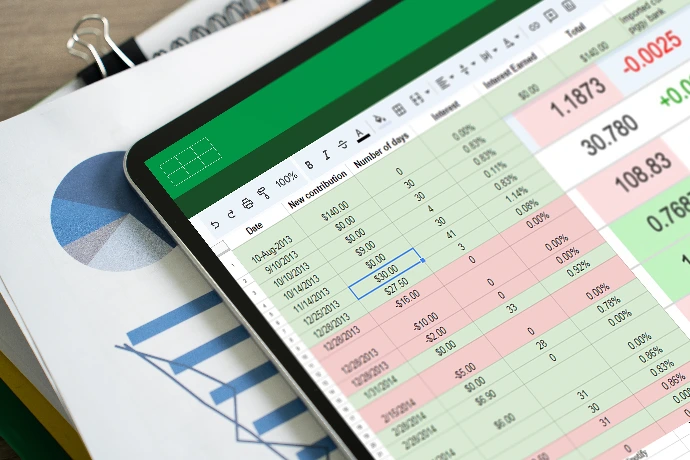
Download the report
Download the fuel dispensing report to a USB drive in Excel format
How to use it
Verify identity at the time recorder
Verify identity at the time recorder
to identify the member of staff who wants to dispense fuel
Identity verified
Once identity is verified the system lets
the dispenser run for the period that has been set
Download the report
Download the fuel dispensing report
to a USB drive in Excel format
Huai Pa Wai office (Site-HW)
Disabled period
23.00–05.00
Set the period when the dispenser must not run

Limit the number of times per day
40 times/day
Control the maximum number of uses per day

Set the dispensing time per use
10 minutes/use
Set how long the unit runs after identity verification succeeds

Huai Pa Wai office
(Site-HW)
Disabled period
23.00–05.00
Set the period when the dispenser must not run
Limit the number of times per day
40 times/day
Control the maximum number of uses per day
Set the dispensing time per use
10 minutes/use
Set how long the unit runs after identity verification succeeds
Notes
1. The alarm LED flashing twice means outside working hours
2. The alarm LED flashing four times means the daily dispensing limit has been exceeded
3. Staff can scan again after more than one minute has passed
4. If necessary, manual mode can be enabled by switching on the manual breaker in the control box; the system then runs without identity verification
5. The identity verification unit (FacePro-X5) stores up to 50,000 access records
6. The identity verification unit (FacePro-X5) recognises up to 500 staff
Kaeng Khoi office (Site-KK)
Disabled period
23.00-05.00
Set the daily period when the unit must not run
Limit the number of times per day
30 times/day
Control the maximum number of uses per day

Set the dispensing time per use
10 minutes/use
Set how long the unit runs after identity verification succeeds
Kaeng Khoi office (Site-KK)
Disabled period
23.00-05.00
Set the daily period when the unit must not run
Limit the number of times per day
30 times/day
Control the maximum number of uses per day
Set the dispensing time per use
10 minutes/use
Set how long the unit runs after identity verification succeeds
Notes
1. The alarm LED flashing twice means outside working hours
2. The alarm LED flashing four times means the daily dispensing limit has been exceeded
3. Staff can scan again after more than one minute has passed
4. If necessary, manual mode can be enabled by switching on the manual breaker in the control box; the system then runs without identity verification
5. The identity verification unit (FacePro-X5) stores up to 50,000 access records
6. The identity verification unit (FacePro-X5) recognises up to 500 staff
System operation diagram
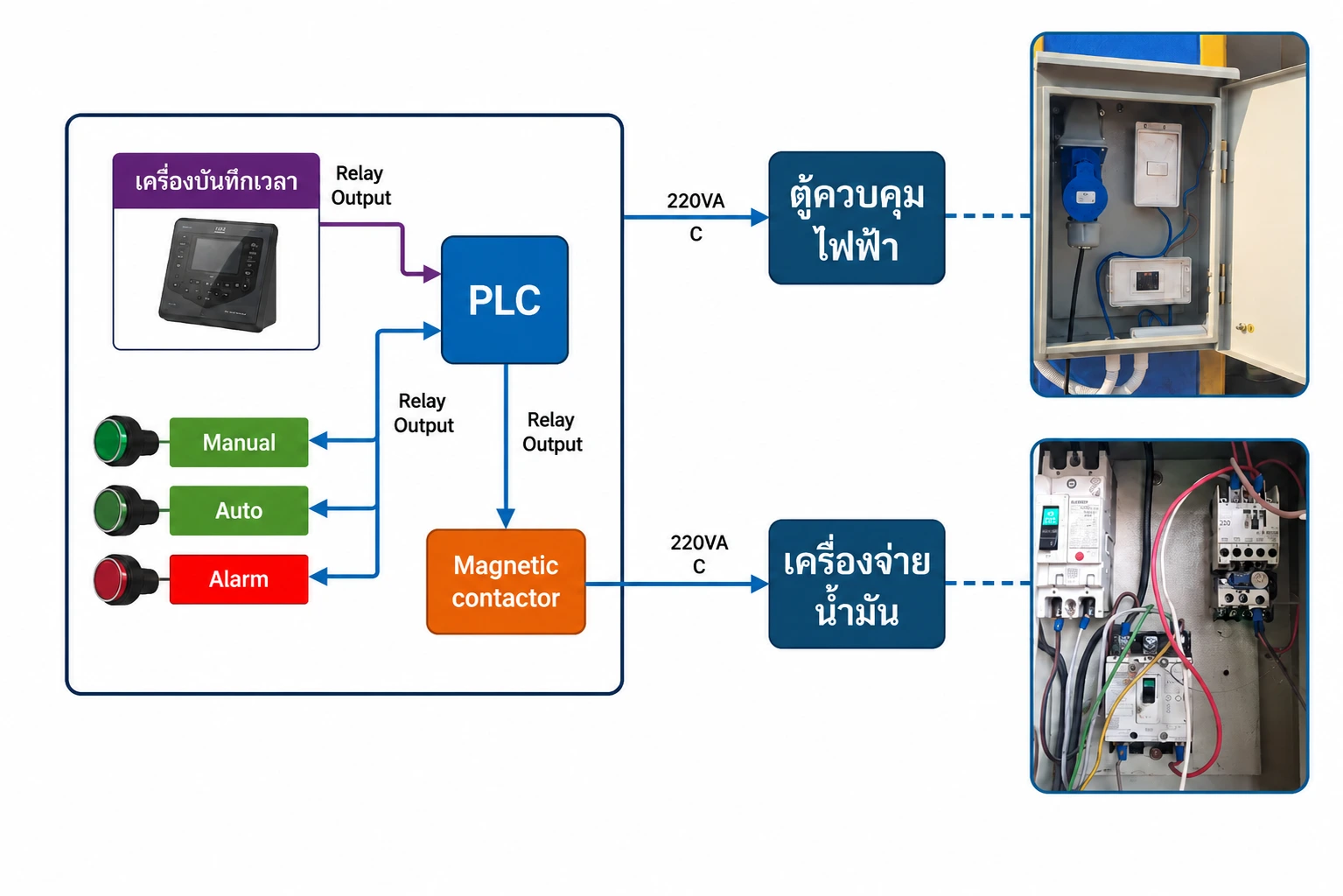
System operation diagram
System connection diagram
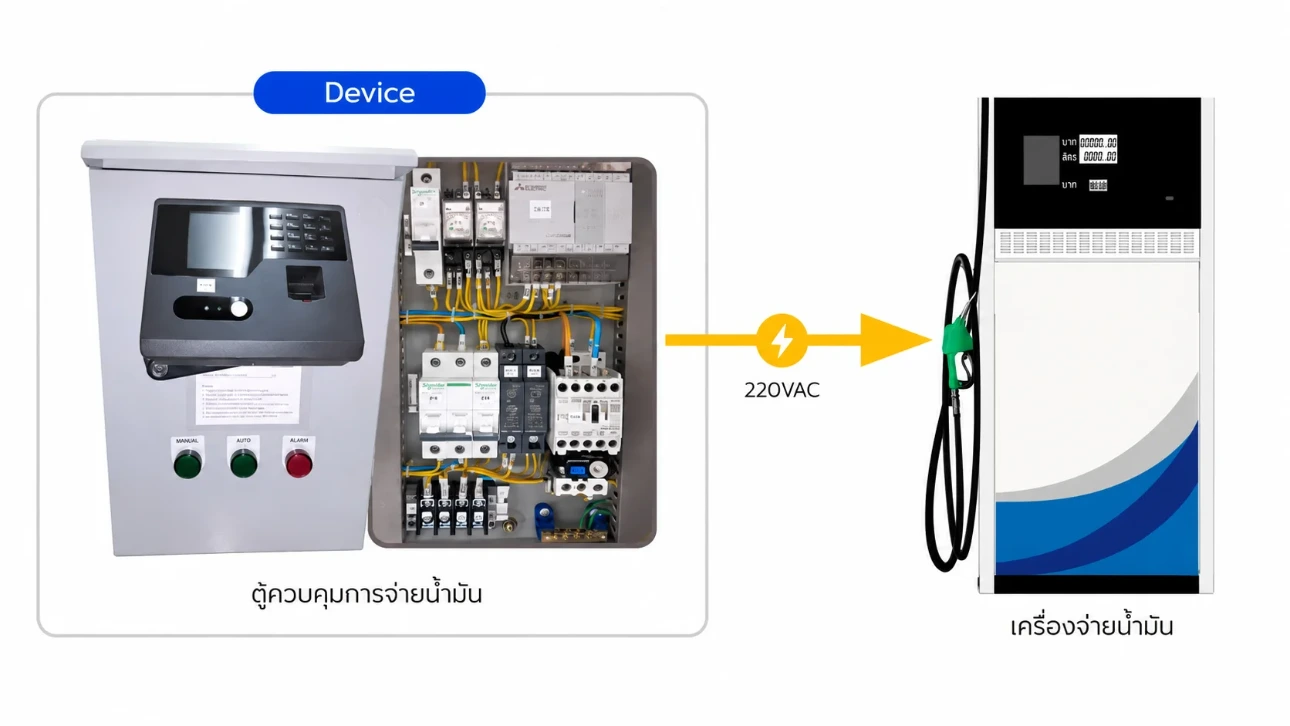
Installation: plug the fuel dispenser's power cable into the fuel dispensing control cabinet
System connection diagram
Installation: plug the fuel dispenser's power cable into the fuel dispensing control cabinet
Feature

Identity is verified at the time recorder to identify the member of staff who wants to dispense fuel

The system supplies power to the dispenser once identity is verified, for the period that has been set (5-15 minutes)

Staff records can be exported by saving an Excel file to a USB drive

Up to 50,000 access records can be stored on the identity verification unit for later review

The period in which fuel may be dispensed can be set, for example 8.00 to 17.00 only

An indicator light shows the unit is running and flashes a warning as the time runs out
FAQ
FAQ
It is a system that controls the power supply to a fuel dispenser, switching it on only when a member of staff has verified their identity, so fuel dispensing is controlled systematically and can be checked afterwards
The system does not supply power to the dispenser until identity is verified at the time recorder or the designated verification device, so only authorised staff can use it
Yes. The power-on period can be set, for example 5–15 minutes. When the set time is up the system cuts the power automatically to prevent overrun
There is an indicator light showing the operating status, and it can flash a warning as the usage time runs out so the user knows before the power is cut
FAQ
FAQ
It is a system that controls the power supply to a fuel dispenser, switching it on only when a member of staff has verified their identity, so fuel dispensing is controlled systematically and can be checked afterwards
The system does not supply power to the dispenser until identity is verified at the time recorder or the designated verification device, so only authorised staff can use it
Yes. The power-on period can be set, for example 5–15 minutes. When the set time is up the system cuts the power automatically to prevent overrun
There is an indicator light showing the operating status, and it can flash a warning as the usage time runs out so the user knows before the power is cut
Start Smart with DigitechX
Start building the Industrial Intelligence system that fits your factory with the DigitechX team
Solution consulting? Contact Us
