
Skip to Content
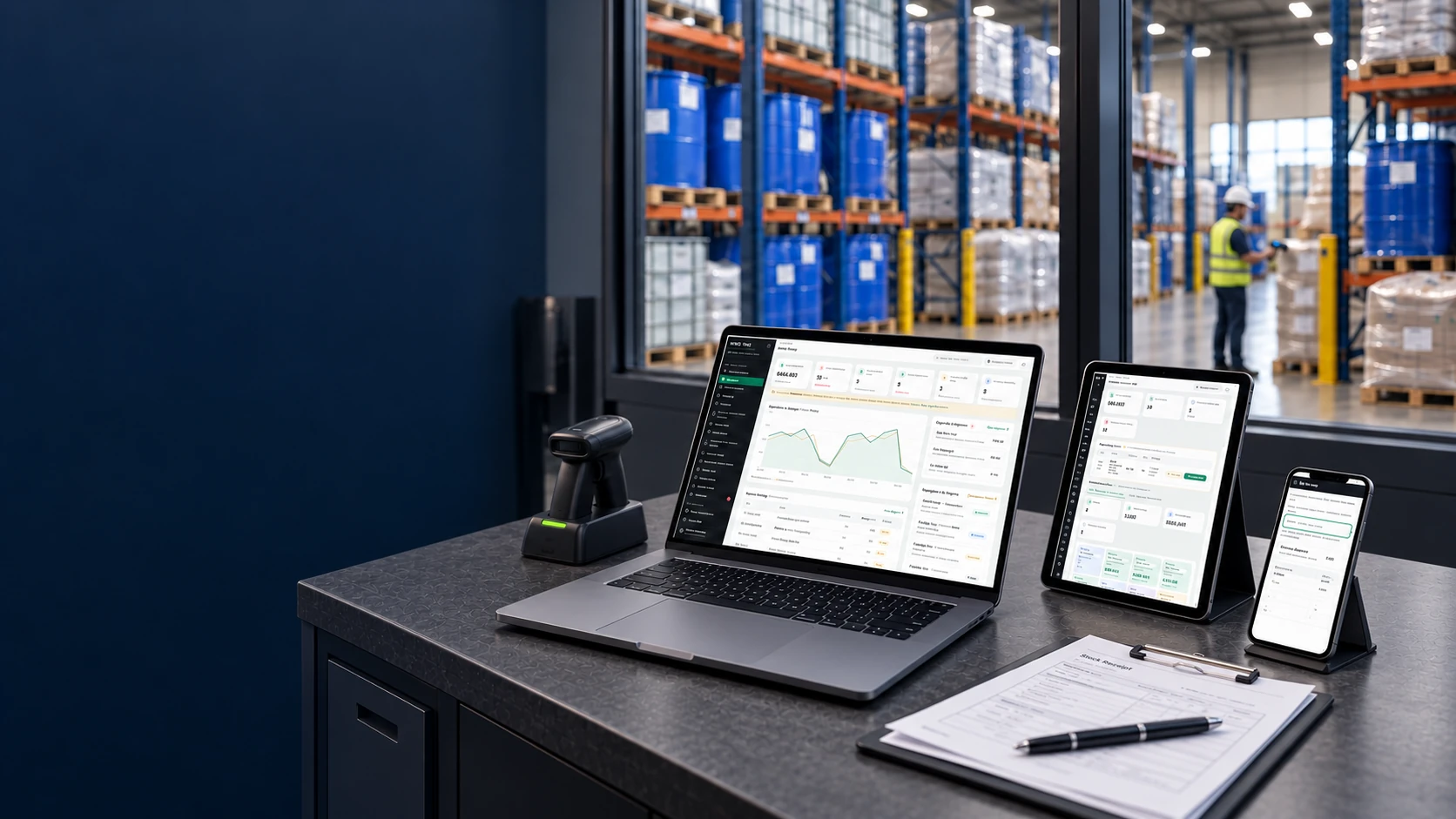
Illustrative WMS workstation in a chemical warehouse office
Chemical Distribution WMS

For importers and distributors supplying industrial chemicals

Warehouse management
for chemical distributors

Manage stock by grade, manufacturer and lot, with the information needed to confirm orders and prepare deliveries. We adapt WMS to your customer requirements and warehouse workflows.

Grades and lotsCoA and QCRepacking
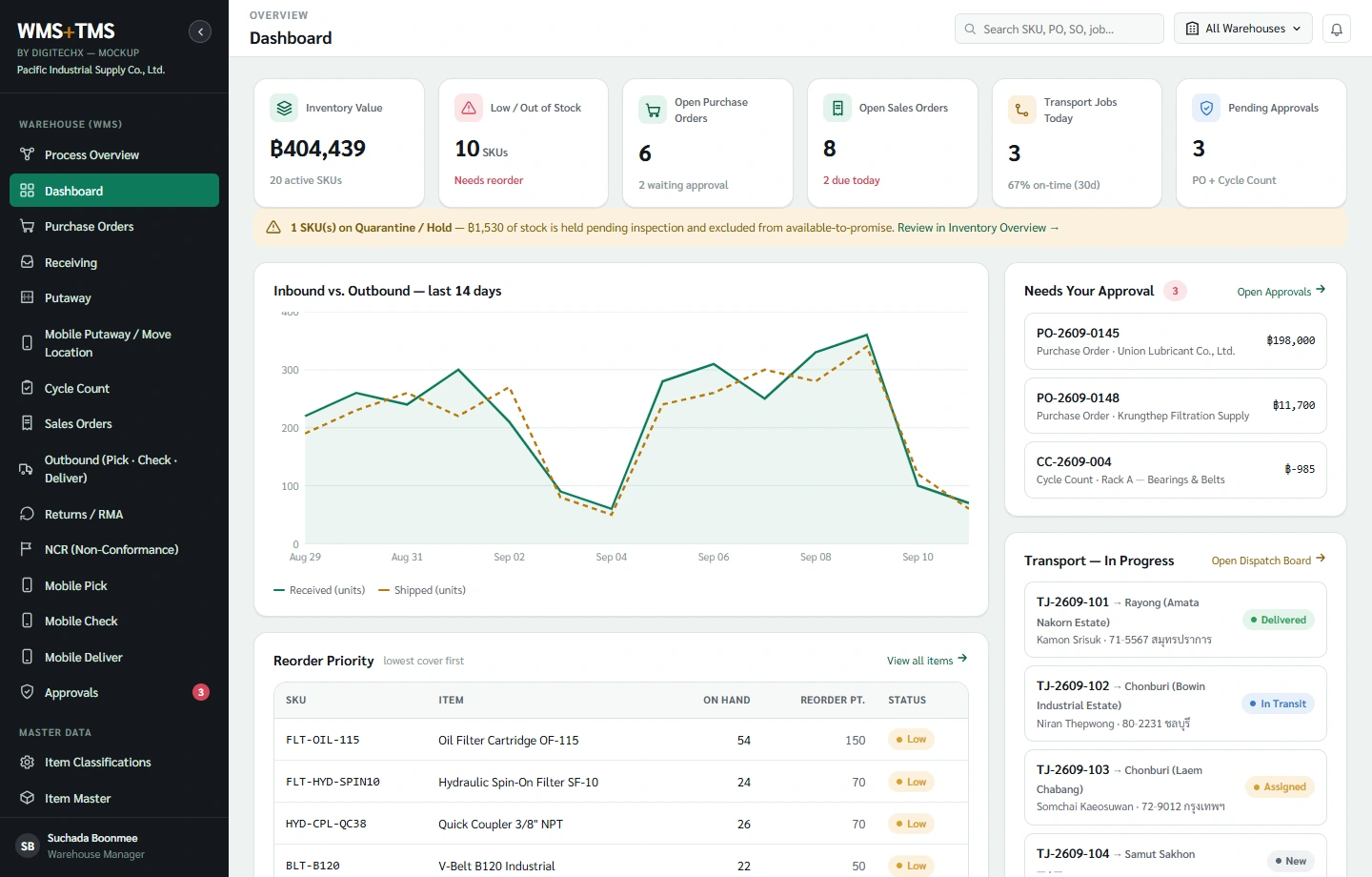
Try the menus in the screen below
WMS Chemical Distribution | Sample data
Preparing the demo…

The demo contains no live customer data. TMS screens are available to explore, but a WMS project does not require a simultaneous TMS rollout.

Try it yourself

WMS Chemical Distribution

Explore stock, receiving, putaway and picking with sample data. DigitechX will work with your warehouse and quality staff to design the rules for your chemical products.

Workflow overview

From incoming lots to customer delivery

Connect grades, manufacturers, lots and documents with receiving, storage, repacking and dispatch.

Select the image for details • Workflows and integrations are configured per project
WMS Chemical DistributionChemical distribution WMS workflow: receiving, storage, allocation, repacking and dispatch, connected to scanners, scales and ERP.
Chemical warehouse operations

Manage the details of chemical stock, from receipt to delivery

The same chemical name does not always mean an interchangeable product. DigitechX starts the design with the grades, manufacturers, lots and customer requirements used in your warehouse.

Physical receipt
Documents
QC review

Designed around each warehouse’s actual workflow

Receiving and import records

Separate what was ordered, what arrived and what is released.

Multiple lots or a short receipt

Keep manufacturer lot numbers separate from warehouse receipt IDs. Link the purchase order (PO), supplier, shipment and package photos. Record actual quantities, shortages, overages, damage and outstanding receipts. Goods sharing a container still retain their own lots.

In transit, at a 3PL or delivered directly

In-transit stock is not pickable warehouse inventory. Track ownership and actual location. Indent/direct-delivery orders need delivery evidence without a fictitious warehouse receipt.

Missing CoA, unclear label or wrong grade

Hold the goods with a reason and owner. Compare commercial code, grade, manufacturer and packaging with the order. Matching CAS numbers alone do not establish the same commercial grade.

Product requirements
Storage zone
Stock status

Designed around each warehouse’s actual workflow

Storage and quality status

A free location must meet the product’s approved storage rules.

Storage zones and compatibility

Use SDS, manufacturer requirements and responsible safety personnel to define zones, package conditions, capacity and segregation. A chemical name or pictogram colour is not a compatibility assessment.

Pending QC, blocked stock and returns

Track status at storage-unit level with reason, approver and time. Physical presence does not authorize reservation or picking. Returns require a separate review before becoming available.

Transfers, counts and cut-off

Confirm source and destination and distinguish in-transfer from received stock. Counts must account for pending picks and movements; record the variance and reason before adjustment.

Customer rules
Eligible lots
Available quantity

Designed around each warehouse’s actual workflow

Customer-specific lot allocation

First establish eligible lots, then apply the agreed stock-rotation rule.

Approved grade and manufacturer

Link SKU, grade, manufacturer, customer code and approved products. A new source or substitute requires authorization; aggregate stock is not a promise that it can all be shipped.

FEFO, remaining life and single-lot orders

FEFO selects the earliest expiry among eligible lots. Evaluate remaining life at delivery, treat retest separately, and include single-lot, whole-pack and credit-release requirements from the owning system.

Competing reservations and partial delivery

Define reservation ownership and release rules. Order revisions or cancellations must check picked stock, loads in progress and outstanding quantities before returning availability.

Source container
Net weight
Child labels

Designed around each warehouse’s actual workflow

Repacking and remaining quantity

A new label must still identify the source lot and container.

One source lot, multiple pack sizes

Retain parent-to-child links, container counts and net quantities, plus opening date and residual condition where required. Repacking does not automatically change manufacturing or expiry dates.

Samples, overfill, waste and variance

Distinguish samples, recorded waste, residual stock and unexplained differences. Investigate excess issue on a consistent weight basis instead of hiding it in generic inventory adjustments.

Multiple-lot blending or a new formulation

Blending or reformulation adds ingredient, recipe, quality and output-lot controls. Scope it separately from repacking; relabelling cannot substitute for a production process.

Loading check
Matching CoA
Delivery evidence

Designed around each warehouse’s actual workflow

Load checks and delivery

Goods loaded, dispatch documents and ERP postings must refer to the same transaction.

A lot change during picking or loading

Scan against the task and order conditions. A lot change requires document and approval review. Confirm seals, actual quantity and approved vehicle/load requirements.

Partial acceptance or return

Record actual acceptance, rejection reasons and delivery evidence. Separate physically returned goods from saleable stock and link the original delivery and claim before inventory or accounting approval.

ERP fails to acknowledge or receives a retry

Retain the original transaction reference and posting status, prevent duplicate postings, and keep a visible exception queue with a reconciliation owner. Corrections need agreed reversal and reason records.

Manufacturer lot
Stock movements
Recipients

Designed around each warehouse’s actual workflow

Traceability, claims and losses

When a problem arises, identify affected stock and recipients from transaction evidence.

Trace forwards and backwards

Trace receipts through repacks, transfers, dispatches and returns, keeping manufacturer lots separate from internal references and preserving reprint and correction history.

Slow-moving stock and approaching review dates

Distinguish time in stock from shelf life and retest dates. Review unreserved quantities, hold reasons and customer approvals before commercial action; an ageing report cannot release goods.

Claim costs versus cash tied up in stock

Write-offs, redelivery and rework costs differ from the carrying value of held stock. Define source records and avoid counting the same incident twice before assessing an investment.

Your quality and safety officers confirm the rules using SDS and manufacturer requirements. DigitechX then builds those approved rules into the workflow.

IoT for warehouse work

Connect scales and warehouse devices

DigitechX connects weights and scanned IDs to receiving, picking or repacking records, and helps select and supply suitable warehouse equipment.

Weight readingSource lotChild label

Capture weight against the repack transaction

Capture gross, tare and net weight against the source lot. Use the same reading in the transaction and label to reduce repeated typing.

Missing readings or an offline scale

Identify scale readings and manual entries, with operator and time. A previous reading must not be treated as a new measurement.

Explore a starting point for your warehouse
Scanned IDTask recordConfirmation

Check the item against the current task

Scan containers and locations at receiving, putaway, picking and loading. Check lot IDs and stock status against the assigned task.

Damaged labels or reprints

A new label must retain the original lot link. Record reprints and define how obsolete labels are removed from use.

Explore a starting point for your warehouse
ReadingZone and timeStored lots

Monitor storage conditions

Where products have temperature or humidity requirements, link readings to zones and storage periods so quality staff can review potentially affected lots.

What to check with warehouse and quality staff

Review measurement locations, data gaps, calibration and suitability for the area, particularly hazardous areas. Quality staff retain responsibility for release decisions.

Explore a starting point for your warehouse
Your warehouse

Answer a few short questions so DigitechX can better understand your needs.

Choose the answers that fit your warehouse, then review the summary before sharing it with DigitechX.

Want to contact DigitechX now? You can skip the questions.Skip and talk to DigitechX
Your workflow1 / 5
How does your chemical warehouse operate?
Which warehouse task do you have to recheck most often?
Which exception matters most?
Where do you keep product, lot and stock-movement records now?
Which result would you like to see first in a pilot?
Your answers reach DigitechX only when you submit the contact form.
Skip and talk to DigitechX →

Let’s start with your warehouse workflow

Bring an order, goods receipt or label you already use. DigitechX will review the workflow changes, ERP connections and warehouse equipment, then agree the project scope with you.

Discuss your chemical warehouse ↗063-646-9000

Our design lead brings more than 20 years of ERP, WMS and TMS experience. Your chemical-specific requirements are assessed before the system scope is defined.

Map the actual rules

Select the products, customers and recurring problem; identify who owns grade, lot, quality and unit decisions.

Pilot one workflow

Test normal and exception cases: missing CoA, weight mismatch, duplicate labels and missing ERP acknowledgments.

Measure before expanding

Compare handling time, corrections and discrepancies against the baseline before adding products, zones or warehouses.

Estimate the costs you want to reduceMonthly write-offs, corrections and claims

Start with actual costs

Use actual records to discuss priorities. This is not a forecast or guarantee of software savings.

Separate expenses from inventory value

Do not treat the full value of QC-held inventory as a loss. Include actual recognized costs and avoid counting one incident under multiple categories.

Total reported monthly cost฿0Use this as a baseline for selecting a pilot.

Questions before getting started

Do we have to replace our ERP?

Not necessarily. Identify what ERP owns and what staff still track in spreadsheets. Agree ownership of item codes, orders, reservations, credit, valuation and physical movements, including duplicate submissions, cancellations and rejected transactions.

Are CoA, SDS and TDS interchangeable?

No. A Certificate of Analysis (CoA) must match the lot; a Safety Data Sheet (SDS) relates to the product and document revision; a Technical Data Sheet (TDS) describes technical characteristics. Having the files does not itself release the stock.

How do drums, kilograms and litres relate?

Track the container, package count and actual net quantity separately. Conversion between litres and kilograms needs a valid density and reference basis for the material. Container capacity is not actual content, and one conversion must not be assumed for every lot.

How is a retest date different from expiry?

A retest date schedules reassessment under the manufacturer’s information and must remain separate from expiry. Follow the approved quality procedure when it is due. A new receipt, repack or reprinted label does not automatically extend product life.

What is the scope for hazardous chemicals?

Start with the product inventory, composition, SDS, applicable legal classifications, site rules and permits, verified by responsible specialists. Thai hazardous-substance types, GHS and transport classifications are distinct. The software does not grant permits or certify chemical safety.

How much customisation would our warehouse need?

We review your workflow and current systems, then identify what standard features cover and what needs customisation, including ERP and device connections, before agreeing scope, price, timing and acceptance criteria.

References informing the design

The design draws on Thai operators and relevant authority guidance. These organizations are research references, not claimed DigitechX customers.