Skip to Content
Industrial electrical and utility systems for energy management
Energy Monitoring Software

Understand the electricity use before changing it

The bill is up.
Where did the extra use come from?

Look beyond the month-end total. Review meter readings, compare time periods and follow unusual activity back to the data.

Talk to us
Read the metersCompare usageOpen reports
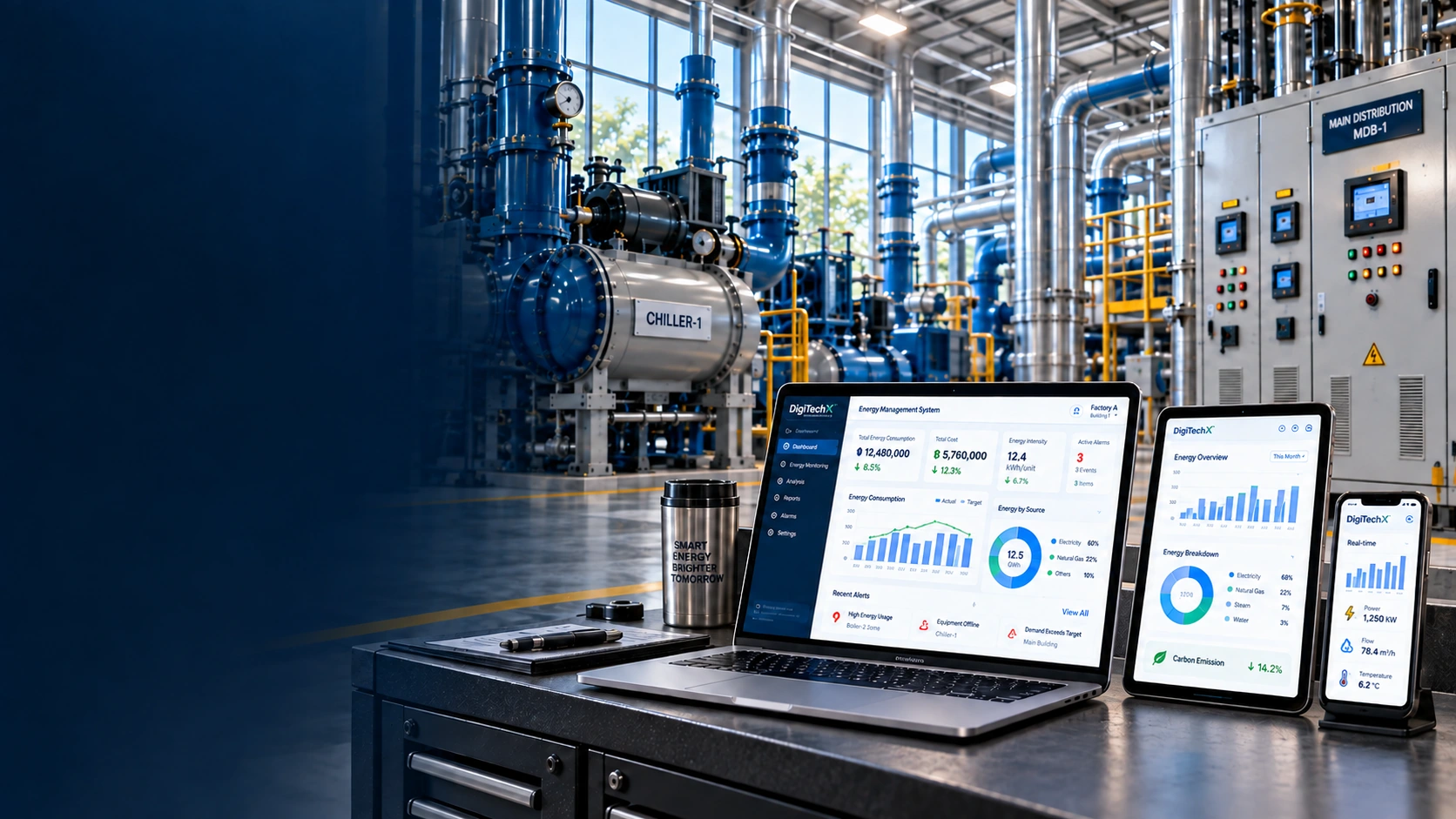
Energy management dashboards on laptop, tablet and phone in an industrial utility room
Energy Monitoring Software application dashboard
Energy Monitoring Software on a tablet
Energy Monitoring Software on a phone
Application preview · Sample data

Take a look around

Explore data from 100 demo meters

Try the overview, meter readings, costs, alerts and reports using sample data. Switch between the menus in the screen below.

Look at individual metersRead the meters
Compare one day with anotherCompare usage
Follow up unusual readingsOpen reports
Try it for yourself
Energy Monitoring Software on a MacBook

This demo uses sample data. Open full screen for a closer look.

What you can do

The bill tells you the cost.
Meters help explain the use.

When a number changes, check where and when it happened before heading out to inspect the equipment.
Talk to the DigitechX team

Already have meters?
Get more from their data.

Tell us the models, the number of measuring points and what you want to see. We can discuss how to connect them.

Start with a conversation

Tell us about the work and what gets in the way

Review what you have

Check the equipment and available data

Choose a starting point

Work out what would help your team first

A closer look

Look at individual meters

See energy readings and meter status in one place.

The demo includes 100 meters to explore. For a real site, meter models and connections need checking first.

A closer look

Compare one day with another

Review usage charts and the times when readings changed.

Compare them with production schedules or equipment start times to ask more useful questions about what happened.

A closer look

Follow up unusual readings

Open alerts to see which points may need checking.

Review the timing and event details. An unusual reading can have several causes, so avoid drawing conclusions from one signal.

A closer look

Share the figures with the team

Review costs and export reports for others to use.

Choose the reporting period before exporting so everyone knows which dates the figures cover.