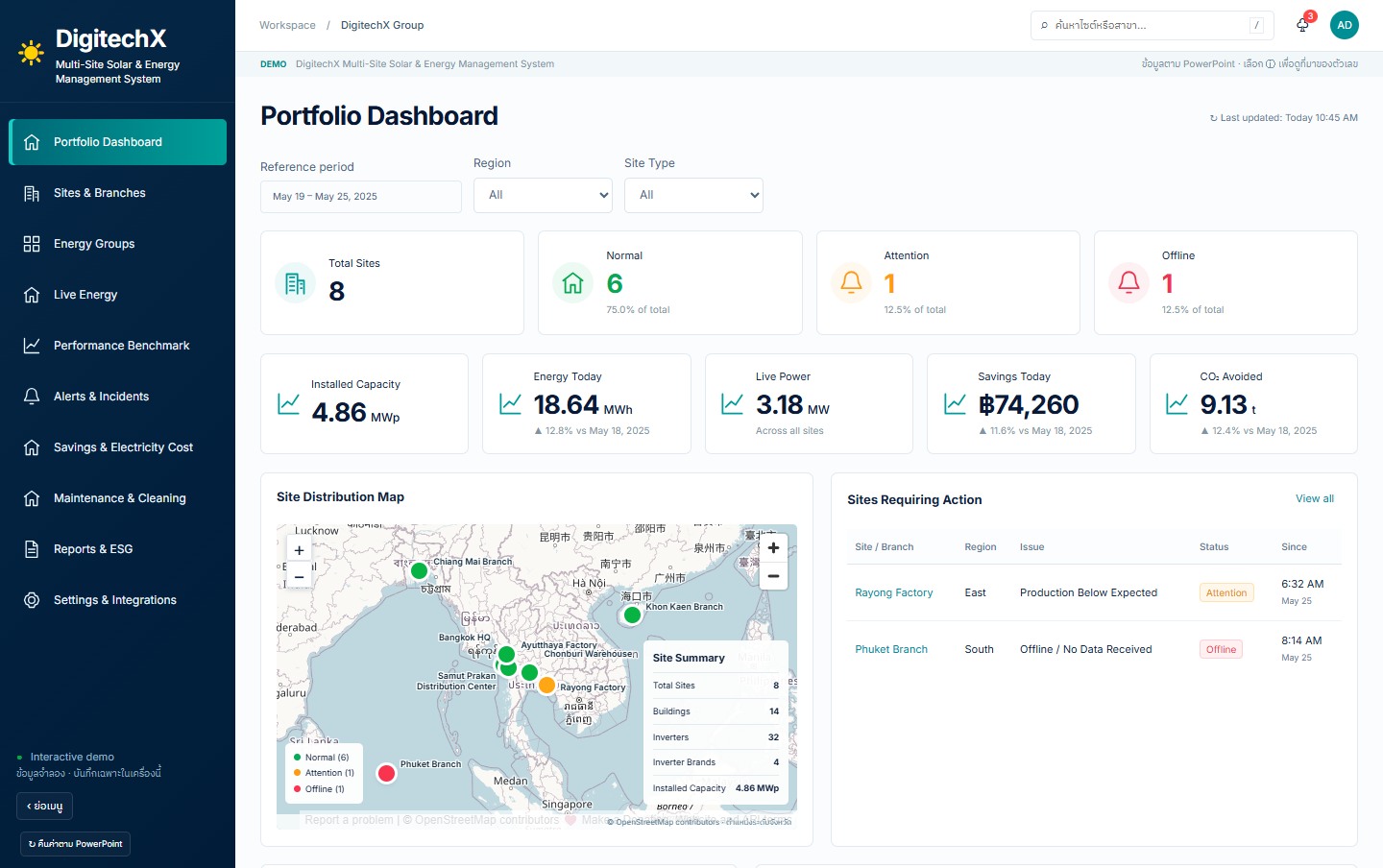
Start by deciding which sites need attention first
Define which conditions need investigation, who is responsible and which records technicians need before visiting the site.
What to measure before and after a pilotTime to detect an issue and assign site responsibility
Start with the basis for comparing two sites
Review capacities, periods and context, then agree comparable indicators.
What to measure before and after a pilotSites with enough information for a valid comparison
Start with one portfolio report
Agree site groups, periods and how incomplete records should be shown.
What to measure before and after a pilotConsolidation time and sites with incomplete records
Use consistent site identifiers and data boundaries.
Separate access and reporting by owner.
Check completeness and reporting periods before consolidating results.
Align periods, units and measurement-point identifiers before combining records.
Check device models, reading methods and access rights before designing interfaces.
Identify missing records and their sources before deciding whether the current system can be extended.
Choose one recurring task and measure time or discrepancies before and after a pilot.
Include a busy period in testing so results are not based only on quiet days.
Define the expected workload and new requirements before assuming the entire system must change.
Each site’s data sources and interface access must be checked before consolidation.
Copied. Paste the summary into your message to DigitechX.Copying is unavailable. Please download the summary instead.