
Most of the knowledge that actually keeps an organisation running is not in a file. It is in the head of whoever has been doing that job for years. When that person leaves or moves teams, the knowledge goes with them.
Many organisations try to fix this by ordering people to write manuals, and end up with a pile of documents nobody opens, because nobody knows which version is current, and because finding an answer in a file takes longer than asking the person at the next desk.
This article explains what Odoo Knowledge does, how it differs from a file store, and what the software cannot fix.
What Odoo Knowledge is
Odoo Knowledge lets internal users build the organisation's business knowledge base, holding what has been gathered both individually and through working together.
The building block is the article, made up of a title and a body that can carry text, images, links, and records from elsewhere in the system. An article starts either from a blank page or from a preconfigured template.
How it differs from a file store
The question we are asked most often is why a file store is not enough. The answer is that the two hold different kinds of thing.
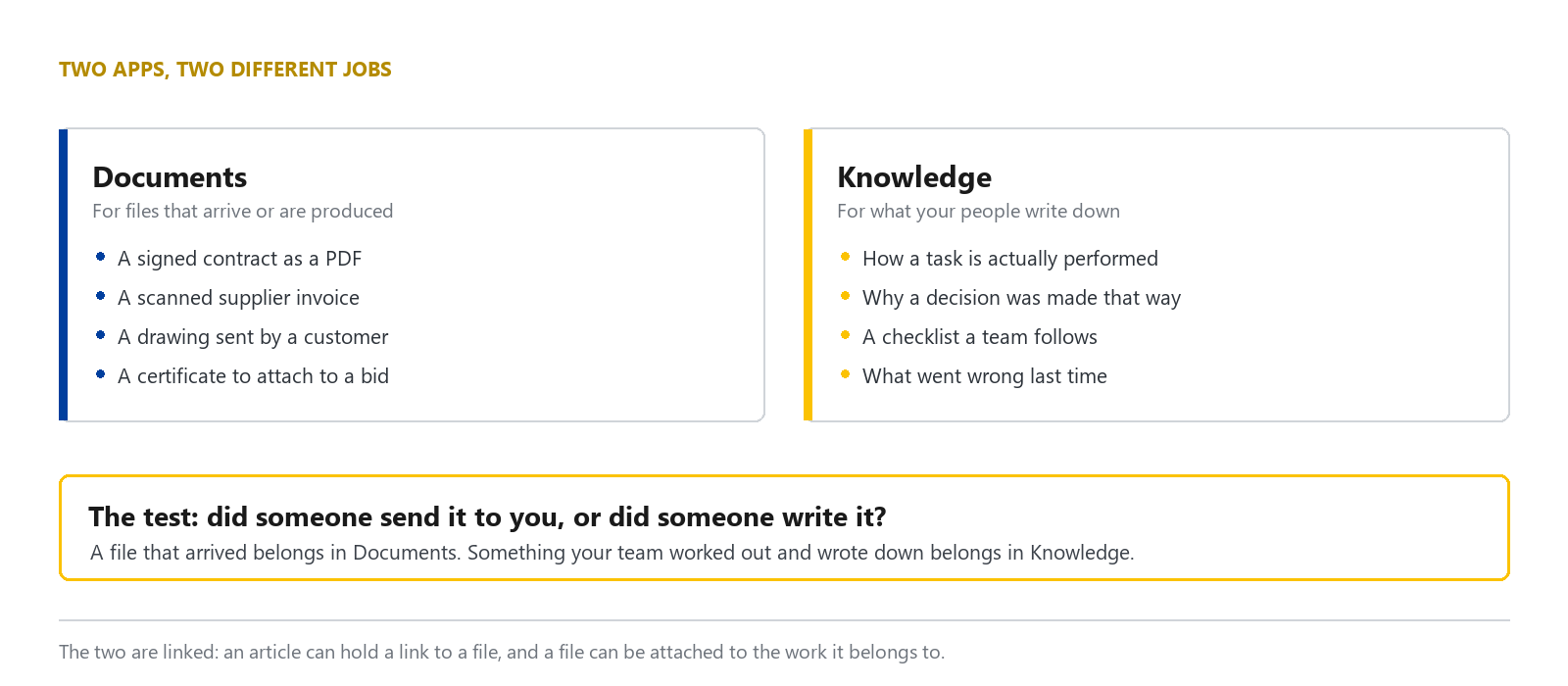
Keep received files in the document store. Working instructions and lessons written by employees for their colleagues belong in the knowledge base.
The file store does its own job well, which we covered separately in the article on what Odoo Documents does
Organize articles and access permissions
An article can be nested under another, and nested articles inherit their parent's access rights.
This matters in daily use, because rights are set once at the level of a main topic, and articles written under it afterwards receive the same rights without anyone setting them again. That is exactly where ordinary document systems tend to fail, when a new document is written and the permissions are forgotten.
The sidebar organises articles into four groups: Favorites for articles marked with the star, Workspace for articles accessible to all internal users, Shared for articles shared with named users, and Private for personal articles.
The Share menu offers three levels: Can Edit, allowing all internal users to edit; Can Read, allowing them to read only; and Members only, restricting access to named members.
Display data from other apps in an article
The largest difference from an ordinary word processor is that an article can carry a view from another application, using Insert view in article or Insert link in article, reached from the cog icon in that application.
The result is a procedure that contains real figures rather than a screenshot that went out of date the day it was taken, such as a follow-up procedure with the actual list of outstanding items embedded on the same page.
There are also several built-in embedding commands. The most used are Index, which lists child articles automatically, Clipboard for text that gets copied and reused, and Foldable Section for folding away long passages.
Article items also carry fields inherited from the parent article, so a group of articles under one heading works from a consistent set of data.
Search articles and review revision history
Search uses Ctrl or Cmd together with K, then a question mark to search visible articles, or a dollar sign to search hidden ones, meaning articles the user does not have the rights to see listed.
The system keeps a version history and can restore an earlier version, alongside commands to download as a PDF, create a copy, and lock the content.
Version history is always undervalued, right up until somebody edits a procedure incorrectly and nobody can remember what it originally said.
How DigitechX uses this system
DigitechX’s system holds 636 articles in this area, of which 81 are top-level articles, covering a range of work from product information and HR through standard Odoo manuals, ERP implementation, business analysis, engineering and development, to client project work.
What we have found is that the articles people actually read tend to be the ones written while the work was being done, not the ones written up afterwards in quiet moments. The first kind still remembers the detail that caused the difficulty. The second usually retains only the main steps, which anybody could have guessed.
System limitations
First, the software does not make anyone want to write. Having a good place to put things does not produce content. Organisations that succeed at this usually state outright what has to be recorded when a piece of work closes, rather than leaving it to goodwill.
Second, written knowledge always goes stale if nobody owns the topic. Assigning an owner per topic matters more than choosing the tool.
Third, this area serves internal users. It is not designed as a public knowledge base for customers. Publishing outward needs other parts of the system considered alongside it.
Fourth, moving existing knowledge in from files and chat threads always takes longer than estimated, and should not be attempted in one go.
Getting started
Start with the question your company’s employees answered most often in the past month. Write that answer as the first article, then organise the topics as more articles are added.
If you want an employee knowledge base but are unsure how to organise it, tell DigitechX how you store instructions and hand work over now. We can help you choose where to start.