
The question we hear most from organisations weighing up an enterprise resource planning system is this: we are not ready for the whole system yet, but we need a website now. Can we start with just the website part, and will we have to rebuild it later if we do?
This article answers that directly, including the limits you have to accept. It follows on from our article on websites for businesses that sell to organisations
Can you start with only the website part
Yes, and you do not have to switch on the whole system.
According to Odoo's official pricing page, there is a plan that lets you use a single app at no cost, with an unlimited number of users, and if the app you choose depends on another app to work, that dependency is included. The paid plans are priced per user, not per app, which is where this differs from systems that charge more for each additional area of work.
In practice this means an organisation that is not ready for the whole system can start with the website, then switch on other areas when it is ready, without moving the website.
The one advantage a separate website cannot match
Reduced to a single point, it is this: the website and the back office use the same set of records, not two sets that pass data to each other.
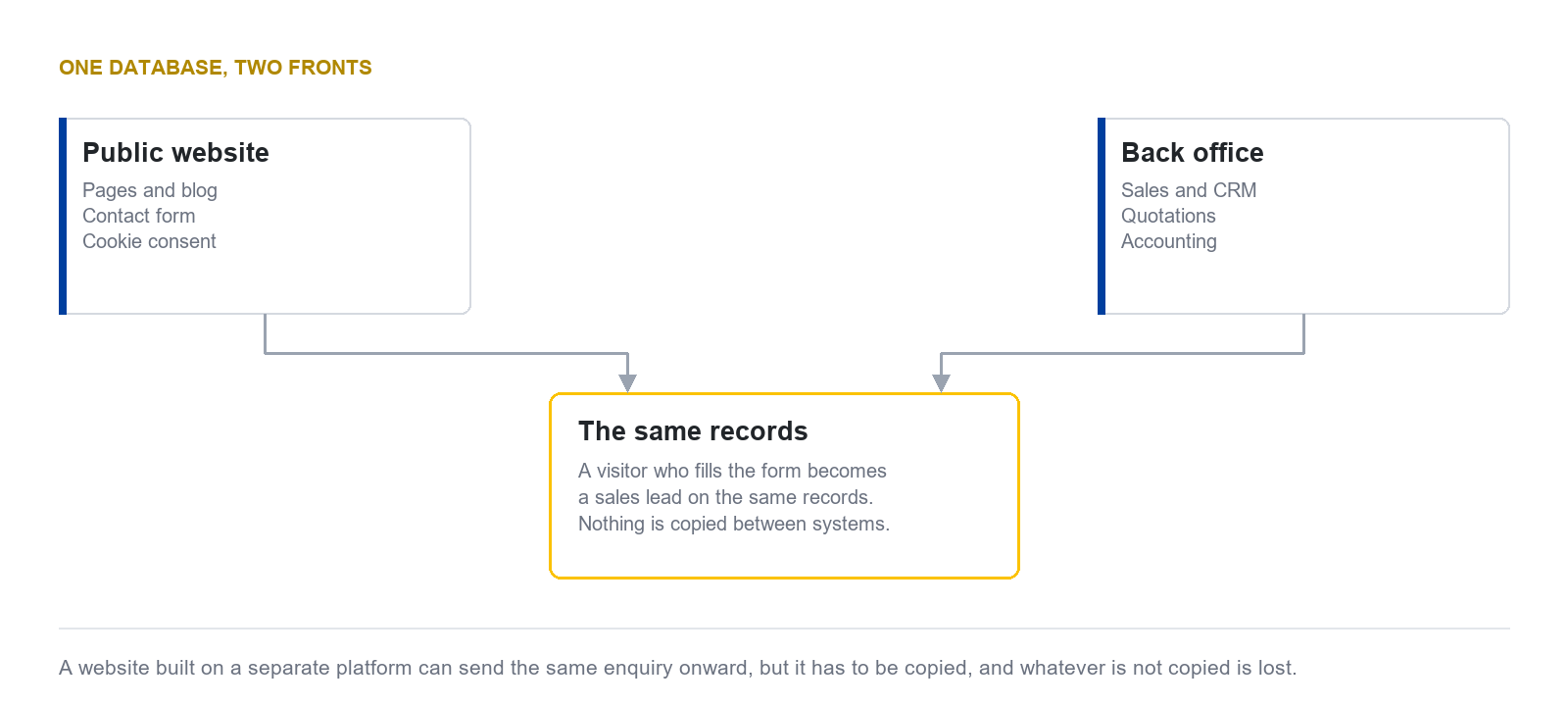
Take the site you are reading, which is itself built on Odoo's website application. When someone fills in the form on the contact page, the system creates a sales lead immediately on the same set of records. Nothing is copied between systems, and there is no step where a person has to move the data across.
That sounds like a technical detail, but the consequence is purely commercial. Every step where a person copies data is a step where data can be lost, and it tends to be lost on the busiest days.
How far it extends
Starting with the website does not mean being stuck there. The order most organisations follow is to expand one area at a time as they become ready.
| Stage | What you switch on | What you gain |
|---|---|---|
| Start | Website and blog | An address on the internet that the company owns, and a record of everyone who gets in touch |
| Next | Sales and customer relationships | Following up opportunities from the people who filled in the form, without re-entering anything |
| Next | Quotations and invoices | Closing the deal and issuing documents on the same records, so sales and accounting see the same figures |
| As needed | Inventory, manufacturing, and other areas | Expanding to match the processes the organisation actually runs |
The one thing you do not rebuild at any stage is the website, because it has been on the same system all along.
Security and backups
On this subject we quote the provider's own documentation rather than offering our opinion.
| Subject | What the provider states |
|---|---|
| Encryption in transit | 256-bit SSL |
| Encryption of stored data | AES-256, across production and backup systems |
| Password storage | PBKDF2 combined with SHA512 |
| Backups | 14 full backups covering at least three months: one a day for seven days, one a week for four weeks, one a month for three months |
| Where backups are held | Replicated across at least three geographically separate data centres, and downloadable by the data owner |
| Website security certificate | Generated automatically within an hour |
| External validation | Participation in the CSA STAR programme at Level 1 |
Two things we have to state plainly. First, the provider's security page does not state an ISO 27001 certification, so we do not claim one. Second, staging and development copies are not backed up for permanent recovery. Only the production system is.
If one day you want to move away
This is a question to ask before you start, not when you want to leave.
The data owner can download the whole database together with its attached files, and export data table by table. But it has to be said plainly that loading that into another system is not a matter of copying files. The structure still has to be transformed to match the destination system, and that is work with a cost.
This is not specific to this system. Every system that stores data in its own structure has the same limitation. What differs is that some systems do not let you download the whole set at all, which is worse.
Limits you have to accept
You cannot change the appearance as freely as on a site written from scratch. The page editor works with ready-made blocks, which is fast and needs no code, but design work far outside that frame has to be done at template level, which needs someone who knows the system.
Your website administrator needs to learn the tools. People used to general website tools will need time to adjust, and the way two-language content is handled is not like other tools either.
You cannot use your own security certificate. The provider issues one automatically but states that configuring your own is not currently possible, which may matter to an organisation with a specific policy on this.
Which organisation suits which route
Putting together the options from the previous article and this one, the guidance comes out as follows.
| Type of organisation | The route likely to suit |
|---|---|
| Very small business, limited budget, someone available to keep content current | Build it yourself with a website builder |
| Wants highly distinctive design work and has budget for an ongoing maintenance contract | Hire an agency |
| Already runs, or is about to run, an enterprise resource planning system | Use the website that comes with the system |
| Not ready for the whole system, but knows it will get there | Use the website that comes with the system, to avoid moving twice |
| Needs a site with highly specialised functions, such as a complex membership system | Commission bespoke development and connect it to the back office later |
The second row from the bottom is the one most often overlooked, because the tool you choose for a website today decides whether you rebuild it in two years.
Closing
If your organisation is about to build a website and there is any prospect of a back-office system later, choosing a tool that covers both from the start does genuinely save the rebuild. But if there is no such plan at all, the single-database advantage means nothing to you, and a route that fits your situation more directly is the better choice.
The same question comes up for the documents part, which we answered separately in the article on what Odoo Documents does
DigitechX implements Odoo, develops extensions and connects existing systems. If you want to start with a website, tell us which systems you use and what you may need to connect later. We can agree a suitable starting scope.